
Download TalkMe – AI Language Learning Tool, Practice Speaking & Listening
Introduction
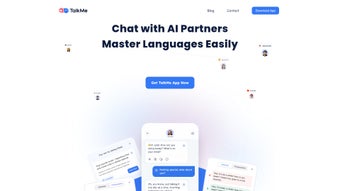
TalkMe is an AI‑driven language learning platform that focuses on speaking and listening proficiency across five major languages: English, Chinese, Japanese, Korean, and Spanish. Designed for test‑takers preparing for IELTS, TOEFL, or other standardized exams, as well as travelers, expatriates, and students heading abroad, TalkMe brings a classroom‑like experience to the palm of your hand. The standout feature is its roster of AI teachers—each displayed with realistic human avatars, distinct personalities, and uniquely synthesized voices. This design encourages learners to engage in conversational drills, role‑play scenarios, and cultural immersion activities without the pressure of a real‑person evaluator. By simulating everyday situations—from ordering coffee in a Tokyo café to delivering a presentation in an English‑speaking boardroom—TalkMe helps users build confidence, reduce social anxiety, and internalize pronunciation patterns.
The platform also integrates adaptive learning algorithms that analyze a learner’s performance after every session and automatically adjust the difficulty of upcoming exercises. This ensures that users are constantly challenged but never overwhelmed, a balance that many traditional language apps struggle to achieve. While the app’s language catalog is currently limited to five languages and the focus leans heavily toward exam preparation, its gamified approach, instant feedback loops, and 24/7 accessibility make it a compelling addition to any self‑studied language toolkit. Moreover, TalkMe’s commitment to data security, regular updates, and cross‑device synchronization reflects a professional development philosophy that prioritizes user trust and long‑term value.
Key Features That Set TalkMe Apart
TalkMe differentiates itself from other language‑learning solutions by combining cutting‑edge artificial intelligence with an engaging, avatar‑driven user interface. Each AI teacher is not only capable of speaking with native‑like fluency, but also reacts visually—mirroring facial expressions, lip‑sync, and body language that correspond to the learner’s input. This multimodal feedback creates a richer, more immersive environment that mimics real‑world conversations. The platform’s feature set is deliberately built around speaking and listening, two competencies often neglected by text‑heavy competitors. Below is a comprehensive list of the most compelling capabilities.
- AI Teachers with Realistic Avatars: High‑resolution human images render facial expressions and gestures that respond dynamically to user speech.
- Multiple Voices & Personalities: Choose instructors based on accent, speaking speed, and temperament for a fully personalized learning journey.
- Exam‑Focused Modules: Dedicated practice tracks for IELTS, TOEFL, and other language proficiency tests, featuring timed speaking sections and realistic listening passages.
- Scenario‑Based Learning: Over 50 immersive scenarios—including travel, academic, professional, and social contexts—help users practice real‑world communication.
- Instant Pronunciation Feedback: AI analyzes speech patterns, highlights mismatched phonemes, and provides corrective suggestions in real time.
- Gamified Progression System: Earn badges, unlock new teachers, and climb leaderboards to stay motivated throughout the learning journey.
- Cross‑Platform Sync: Progress is saved across Windows, macOS, Android, and iOS, enabling seamless continuation of lessons on any device.
- Secure Cloud Storage: All voice recordings and performance data are encrypted (TLS in transit, AES‑256 at rest) and comply with GDPR and CCPA standards.
- Adaptive Learning Engine: The system tracks success rates and automatically adjusts difficulty, ensuring optimal challenge without frustration.
- Regular Content Updates: New scenarios, teacher personalities, and exam modules are added quarterly to keep the curriculum fresh and relevant.
Installation, Usage & Compatibility
Getting started with TalkMe is straightforward, and the app is engineered to work smoothly on a wide range of hardware. Whether you are a student using a campus laptop, a professional on a high‑end desktop, or a traveler relying on a mobile phone, the download and setup process takes only a few minutes.
Step‑by‑Step Installation
- Visit talkmeapp.com/download and select your operating system from the displayed icons.
- Click the Download button; the installer (TalkMeSetup.exe for Windows, TalkMe.dmg for macOS, TalkMe.apk for Android, or TalkMe.ipa for iOS) will begin downloading.
- Run the installer and follow the on‑screen prompts—accept the license agreement, choose an installation folder, and let the wizard complete the setup. On macOS, you may need to drag the app to the Applications folder; on iOS, the App Store will handle installation automatically.
- Launch TalkMe, create a new account using your email address or a supported social login (Google, Apple, or Facebook), and verify your address via the confirmation email.
- Complete the onboarding questionnaire that determines your current language level, preferred accent, and specific test‑preparation goals. The questionnaire also captures any accessibility needs, such as larger text or high‑contrast mode.
First‑Time Usage
After logging in, you are greeted by a clean dashboard that highlights available AI teachers, your current lesson plan, and a visual progress bar. Selecting a teacher opens a conversational window where you choose a scenario—such as “Airport Check‑in” for English or “Ordering Dim Sum” for Chinese. When you speak, the AI captures your voice, transcribes it instantly, and displays a side‑by‑side comparison with a native model.
Real‑time feedback points out pronunciation errors, intonation issues, and pacing problems, while a replay function lets you hear both your attempt and the perfect answer. For listening practice, short dialogues are streamed with interactive multiple‑choice questions that test comprehension and vocabulary retention. All interactions are stored in your cloud profile, allowing you to review past sessions, track improvement trends, and set new goals.
Compatibility
TalkMe supports the following platforms, ensuring that you can practice wherever you are:
- Windows 10 and later (64‑bit)
- macOS 11 (Big Sur) and later
- Android 8.0 (Oreo) and newer
- iOS 13 and later (iPhone & iPad)
System requirements are modest: a minimum of 2 GB RAM, 250 MB of free disk space, and a functional microphone (built‑in or external). The app also leverages GPU acceleration for smooth avatar animations, but it gracefully falls back to CPU rendering on devices without dedicated graphics hardware. For mobile users, TalkMe automatically optimizes video quality to conserve bandwidth while preserving audio fidelity.
Pros, Cons & Frequently Asked Questions
Before you decide whether TalkMe fits your learning style, consider both the strengths that make it a standout tool and the limitations that may affect certain users. The following balanced overview should help you weigh the trade‑offs, while the FAQ below addresses the most common concerns raised by new and experienced learners alike.
Pros
- Engaging AI teachers with realistic visuals and lifelike voices create an immersive learning environment.
- Comprehensive exam‑oriented modules for IELTS, TOEFL, and other standardized tests provide targeted practice.
- Instant, AI‑driven pronunciation feedback accelerates improvement and builds confidence.
- Gamified elements—badges, leaderboards, and unlockable content—keep motivation high over long study periods.
- Cross‑platform synchronization ensures seamless continuation of lessons across desktop and mobile devices.
- Adaptive learning engine tailors difficulty to each learner’s performance, preventing plateaus.
- Regular content updates add new scenarios, teachers, and exam materials, keeping the curriculum fresh.
- Robust security measures protect voice recordings and personal data, complying with major privacy regulations.
Cons
- Language selection limited to five major languages; users seeking less‑common languages must look elsewhere.
- Primary focus on test preparation may not satisfy learners interested solely in casual conversation.
- No option for user‑generated scenarios or custom topic creation, limiting personalization beyond preset modules.
- Lacks real‑human interaction, which some advanced learners consider essential for nuanced fluency.
- Full scenario library and advanced analytics are locked behind a premium subscription.
- While cloud sync is reliable, offline usage is restricted to previously downloaded lessons.
FAQ
Is TalkMe free to use?
TalkMe offers a free tier that includes basic lessons, a limited selection of AI teachers, and essential pronunciation feedback. A premium subscription unlocks the complete scenario library, advanced analytics, additional teacher personalities, and priority customer support.
Can I practice languages other than the five offered?
Currently, TalkMe supports English, Chinese, Japanese, Korean, and Spanish. The development roadmap includes plans to add French, German, and Portuguese in future updates, though no exact release dates have been announced.
How does the AI evaluate my pronunciation?
TalkMe uses a hybrid approach that combines speech‑to‑text transcription with phonetic analysis. The engine compares your spoken input to a native‑speaker reference, highlighting mismatched phonemes, stress patterns, and intonation contours, then provides actionable correction tips.
Is my data safe when I record my voice?
All recordings are encrypted in transit using TLS and stored at rest with AES‑256 encryption. TalkMe adheres to GDPR and CCPA regulations, offering users full control over data access, export, and deletion requests.
Can I switch between devices without losing progress?
Yes. TalkMe synchronizes your lesson history, scores, and unlocked content to the cloud. Simply log in on any supported device, and your learning journey resumes automatically from where you left off.
Does TalkMe work offline?
Offline mode is limited to lessons that have been previously downloaded. While AI feedback and cloud sync require an internet connection, you can still practice speaking drills and listen to pre‑loaded audio without connectivity.
Conclusion & Call to Action
TalkMe fills a niche in the crowded language‑learning market by pairing sophisticated AI technology with personable, avatar‑driven teachers. Its emphasis on speaking and listening—areas that many textbook‑based apps neglect—makes it especially valuable for test‑takers and anyone preparing for real‑world communication abroad. The platform’s instant pronunciation analysis, adaptive difficulty, and gamified progression system provide a compelling learning loop that keeps users engaged over weeks and months.
While the limited language roster and the absence of live human conversation partners may deter some advanced learners, the strengths of TalkMe—secure cloud storage, regular content updates, and seamless cross‑device sync—outweigh these drawbacks for the majority of users seeking structured, exam‑focused practice. If you are looking for a secure, regularly updated solution that lets you practice anytime, anywhere, TalkMe is worth a download.
Ready to boost your confidence and ace that IELTS or TOEFL speaking section? Download TalkMe now and start a free trial of the premium teacher library. Your next conversation abroad could be just a click away.



.png)



